Building a Stock Market Data Explorer
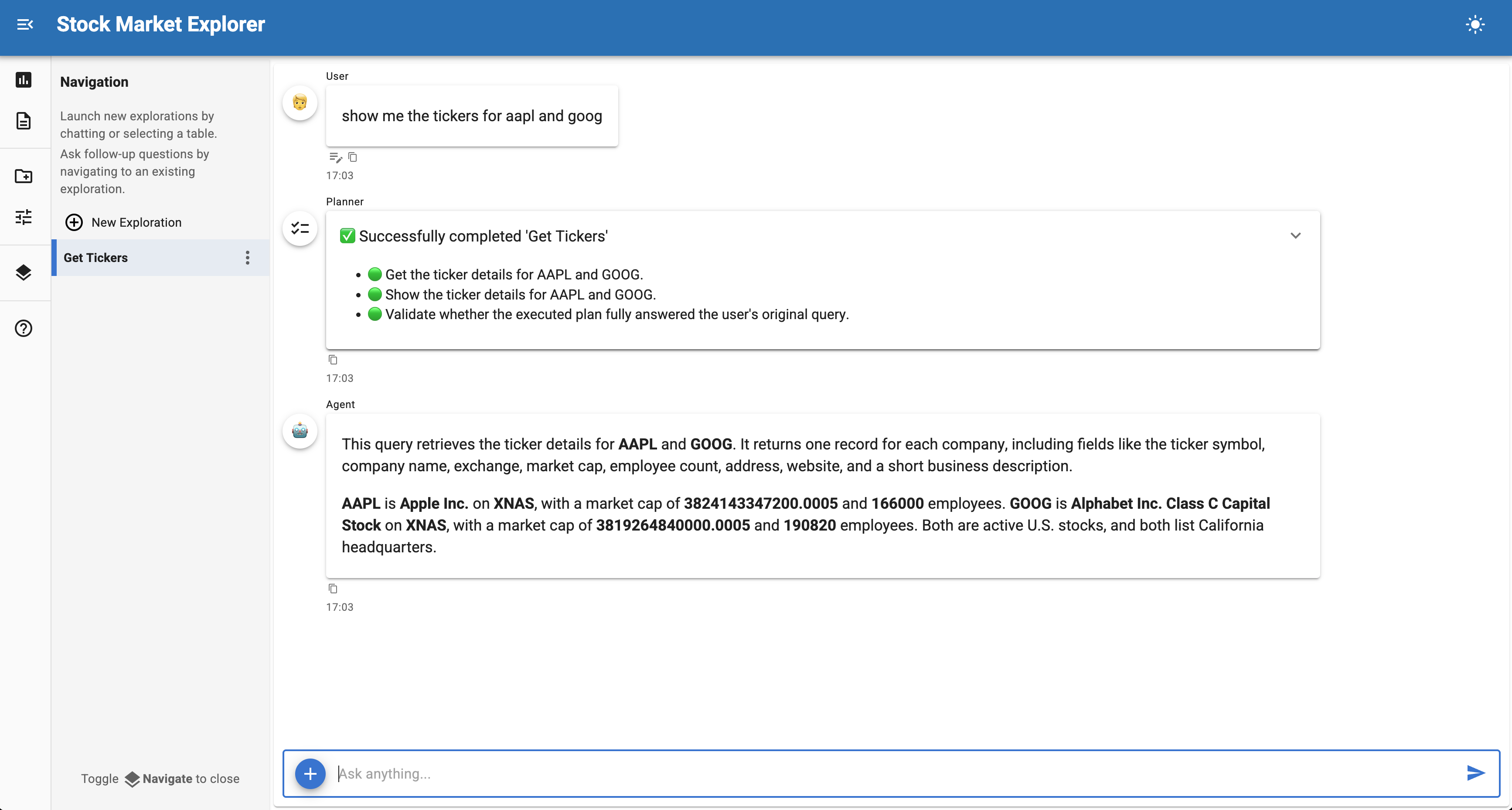
Build a data exploration application that wraps the Massive Python SDK using CodeSourceControls.
This tutorial creates a stock data explorer by passing an SDK client instance and method names to CodeSourceControls, which introspects the method signatures and generates UI widgets automatically. No manual endpoint definitions needed — the SDK does the heavy lifting.
Final result
A chat interface with stock market actions (aggregate bars, last trade, ticker details) that users can query through auto-generated widgets, then explore with natural language questions.
Time: 10-15 minutes
What you'll build
A stock market explorer that wraps three methods from the massive Python SDK. The tutorial follows three steps:
- Start with a minimal example - Wrap SDK methods with ~30 lines of code
- Understand how CodeSourceControls works - Learn how method signatures become widgets
- Customize with param_overrides - Replace text inputs with dropdowns and bounded sliders
For a detailed reference on source controls, see the Source Controls documentation.
Why CodeSourceControls with an SDK?
When a Python SDK already exists for your API, wrapping it with CodeSourceControls is the fastest path:
- Zero endpoint definitions - Method signatures are introspected automatically
- Full SDK features - Pagination, retries, auth, and response parsing come free
- Typed parameters - SDK type hints become appropriate widgets
- Docstrings as context - The LLM reads method docstrings to understand when to call each action
Compare this with RESTAPISourceControls (manual endpoint dicts) or OpenAPISourceControls (auto-discovery from a spec). CodeSourceControls is best when you already have a Python client.
Prerequisites
Install the required packages and set your API key:
Get a free API key from massive.com.
1. Minimal runnable example
Copy this to massive_explorer.py and run with panel serve massive_explorer.py --show:
- Create the SDK client with your API key
instancepasses the client object — its bound methods will be exposed as actionsmethodslists which method names to expose. Each becomes a selectable action in the UI.skip_paramsexcludes SDK-internal parameters that users shouldn't see
Click "Sources" in the sidebar, pick an action (e.g. "List Aggs"), fill in the parameters, and click "Fetch Data". Once data loads, try asking:
- "Show me a line chart of close prices over time"
- "What was the highest volume day?"
- "What is Apple's market cap?"
2. Understanding CodeSourceControls
CodeSourceControls wraps Python methods as data source actions.
How method signatures become widgets
For each method name in methods, CodeSourceControls:
- Gets the bound method from
instance(e.g.client.list_aggs) - Introspects the signature — parameter names, type annotations, and defaults become widget definitions
- Reads the docstring — the LLM agent uses it to understand when to call the method
- Converts the return value — DataFrames (or objects convertible to DataFrames) are registered as queryable tables
Default widget type mapping
| Python annotation | Widget rendered |
|---|---|
str |
Text input |
int |
Number input |
float |
Number input |
bool |
Checkbox |
datetime.date |
Date picker |
| No annotation | Text input (default) |
The skip_params argument
SDK methods often have internal parameters that shouldn't appear in the UI. The Massive SDK's list_aggs method, for example, has raw, params, and options parameters that control response format and SDK behavior. skip_params hides these:
Action display names
Method names are converted to display names by replacing underscores with spaces and title-casing: list_aggs → "List Aggs", get_last_trade → "Get Last Trade".
3. Customizing with param_overrides
The minimal example generates text inputs for most parameters. param_overrides replaces these with richer widgets — dropdowns, bounded sliders, and pre-filled defaults:
- Keys in
param_overridesare the original method names (e.g.list_aggs), not the UI display labels - Full replacement — a
param.Selectorreplaces the auto-detectedparam.Stringwith a dropdown - Dict merge — modifies the existing parameter's
defaultandboundswithout full replacement
Two override styles
Full replacement passes a param.Parameter instance. The auto-detected parameter is replaced entirely:
Dict merge passes a dict of keyword overrides. These are merged into the auto-detected parameter:
Use full replacement when you want a different widget type (e.g. text input → dropdown). Use dict merge when you just want to adjust defaults or bounds.
Wrapping standalone functions
CodeSourceControls also works with standalone functions (not just object methods). Use the functions parameter instead of instance + methods:
def download_data(ticker: str = "AAPL", year: int = 2024) -> pd.DataFrame:
    """Download stock data for a ticker."""
    ...

controls = CodeSourceControls(
    functions={"Download Data": download_data},
    table_name="stock_data",
)
See the Census Data Explorer tutorial for a complete example of this pattern with reactive options.
Next steps
Extend this example by:
- Add more methods - The Massive SDK has methods for options, forex, crypto, and more
- Add reactive options - Subclass
CodeSourceControlsto update ticker lists dynamically (see Census Data Explorer) - Combine with OpenAPI - Add an
OpenAPISourceControlsfor endpoints without SDK wrappers (see Weather API Explorer) - Add custom analyses - Create specialized financial visualizations (see Analyses configuration)
See also
- Source Controls — Complete guide to source controls including
CodeSourceControls - Weather API Explorer — OpenAPISourceControls tutorial with auto-discovery
- Census Data Explorer — CodeSourceControls with reactive options
- Mesonet Weather Explorer — URLSourceControls with preprocessing